

Frequently Asked Questions
The art and science of asking question is the source of knowledge.
-
What is Society Bills?
At Angel Q, we are committed to providing holistic Society Maintenance Billing solutions, going beyond mere software. Our software is designed to address all your billing requirements with precision, offering a wide array of features to streamline your daily society operations to deliver tailored solutions to meet your specific needs.
-
Why should I purchase Society Bills software?
1. You have Defaulters.
2. You need to Prepare GST Bills.
3. You need to Calculate Simple Interest.
4. You need to upload the data in Tally for Audit Purpose.
5. You need to pay via UPI / QR Code.
-
How to prepare Society Maintenance Bills as per Bye Laws?
1. Click the link below Maintenance Bill as per Bye Laws No 65 to 71
-
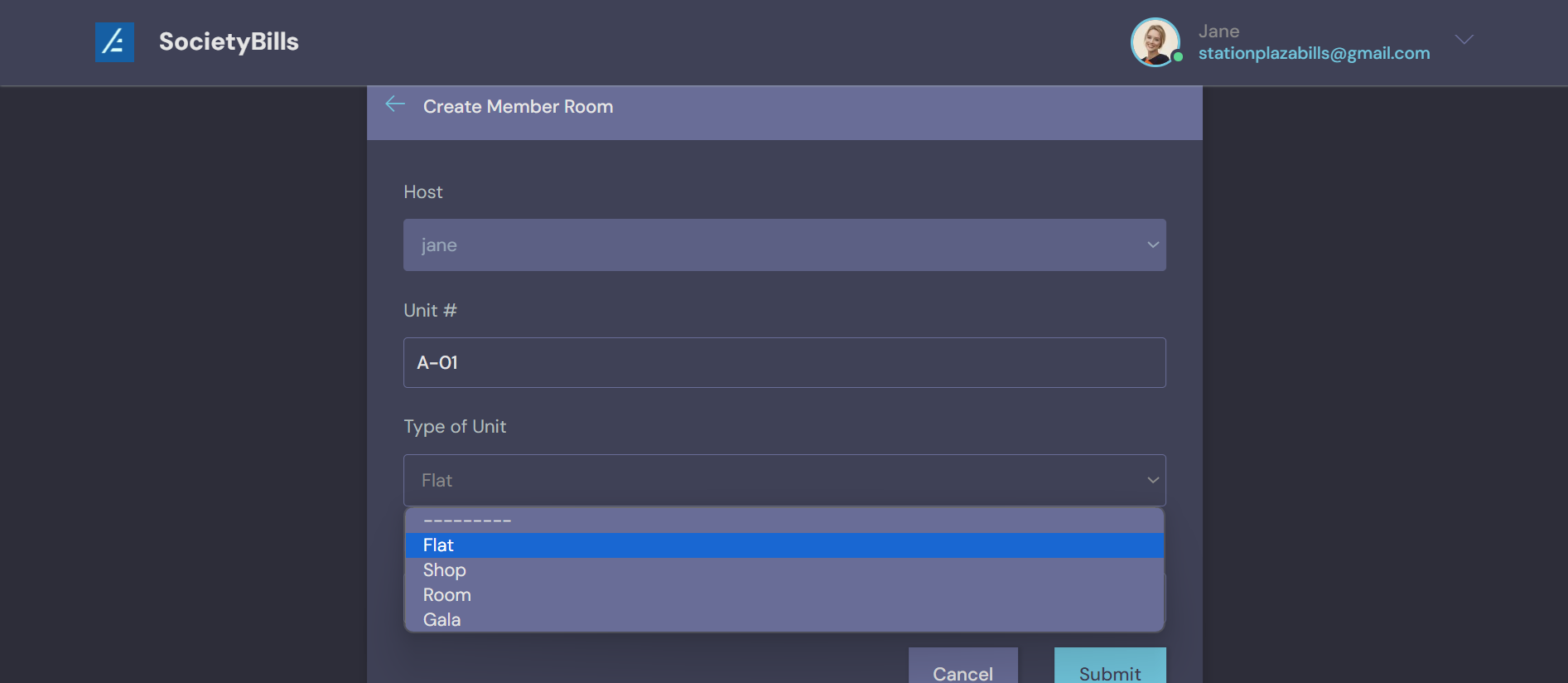
if it's a combined society (residential and commercial) then how to name shops ?
New features included : choose as per your requirement.
-
We only have the Built-Up area, what should I mention in the Carpet Area?
Please input the numerical value Zero “0” in the Carpet Area.
-
What one should know before operating Society Bills Software.
1. Adding Flats / Shops / Units in a sequence
2. After you Initiate the bills, the value in (One Time Charge) will be brought back to its default value i.e Zero
3. The application's due date is set on the last day of each month, either the 30th or the 31st.
4. Watch both the below video tutorials before you start using the application. Society accounting Demo -
Two Things to check before generating Maintenance Bills
0. In the updated version settings values can be locked.
0. In the demo video, I had explicitly asked everyone to ensure that the Opening Balance for all units was set to 'None.' In the current updated version, this issue has been addressed, so there is no longer a need to check the Opening Balance for all units.
1. Payments that are inputed in the previous month (eg: October) will be captured while generating the bills for the current month (eg: November)
2. Please clear Bounce Cheque before generating Maintenance Bills.